Arrays
An introduction to Arrays with Java.
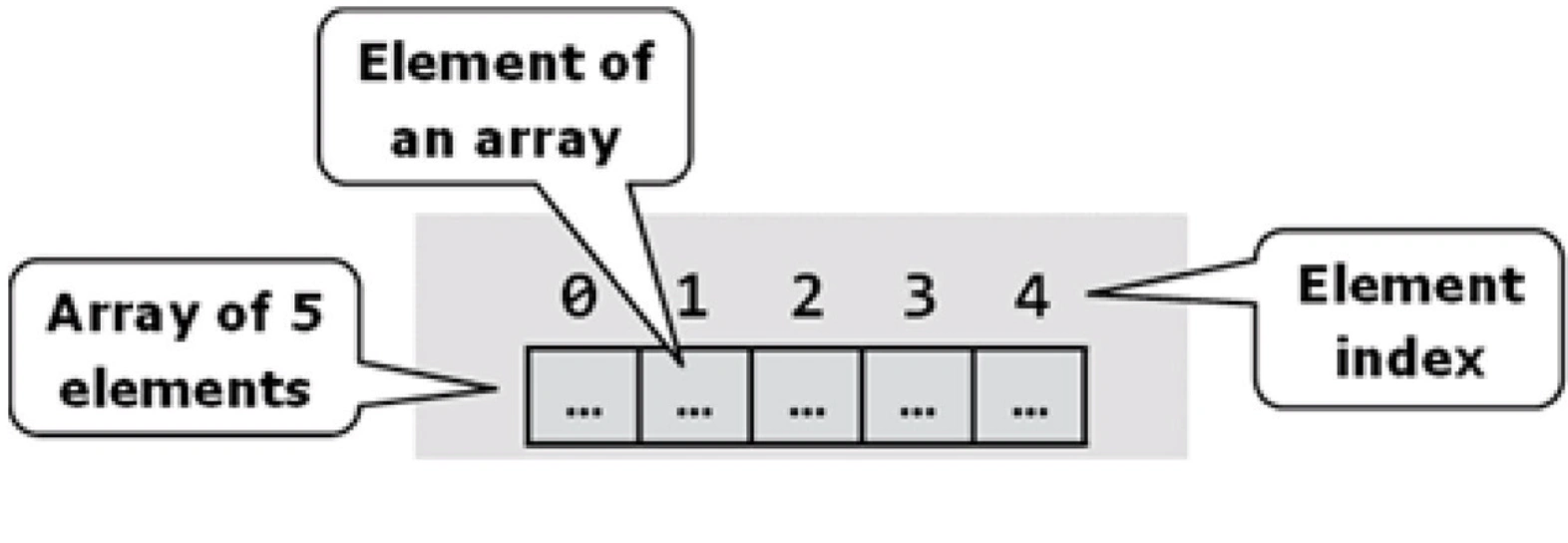
Have you ever been in a situation where you had a large number of strings and had difficulty managing it all? Well that’s what arrays are all about. An array is like a textbook where each page is its own uniquely addressed and accessible string, but are all stored under one main name, where the textbook name would be the array name. In Java arrays are only used to store a single data type such as double or string, however there are two main types of arrays in Java: Arrays and ArrayLists.
Arrays: These are used to store data of a single type often a primitive type such as double or int. These kinds of arrays have a fixed size that must be declared when they are created. An array of this type can also contain arrays of any size of the same type, each array contained within an array adds a dimension to the array as explained below:
1D Arrays: A one dimensional array allows you to store a single set of values, kind of like a list you’d make before you went grocery shopping. All the items are placed back to back in a sequential order. They effectively replace the need for you to create a series of variables of the same type and allow you to group your data together into an umbrella name, the array name.
2D Arrays: This is an array that contains an array for every element within it. It allows you to store values in a similar fashion to what a table would allow you to do. A good example use case for a 2D array would be if you wanted to make student names searchable by seat position in the class. You could create a 2D array of strings that contains the names of students in their assigned seats and then the array would be searchable by seat placement, making locating which students are seated closest to them easy.
ArrayLists: This type of array is best suited for situations where you want to use an array but are unable to determine the required length of the array during initialization. An ArrayList is an array that automatically resizes when it becomes full.
Examples
Initializing a 1D array:
private DataType [] arrayName = new DataType [arraySize]
Initializing a 2D array:
private DataType [][] arrayName = new DataType [NumOfRows][NumOfColumns]
Initializing an ArrayList:
ArrayList<ElementType> arrayListName = new ArrayList<ElementType>();
Determining an array length:
arrayName.length;
Determining size of an ArrayList:
arrayListName.size();
Adding an element to an ArrayList:
arrayListName.add(Element);
Getting a value from an ArrayList:
arrayListName.get(Location);
Determining if an ArrayList contains a value:
arrayListName.contains(Element);
Finding the index of a value in an ArrayList:
arrayListName.indexOf(Element);
Foreach Loops
The Foreach loop is the same thing as a for loop that would go through every element of the array, but instead of passing the index value to the contained code, this passes the value contained within the array. Simplifying the code and making it look more simple.
for (ElementType tempElementName: arrayListName){
    // loop body
}
THANKS FOR READING
Credits: https://en.wikipedia.org/wiki/Foreach_loop